Introduction
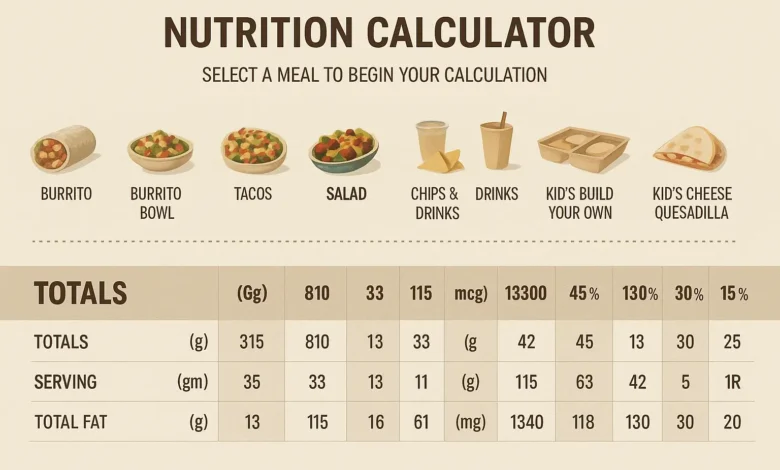
Eating out doesn’t have to ruin your fitness goals. With increasing awareness around calorie tracking and macronutrients, many restaurants now provide transparent nutrition tools. One of the most helpful tools available today is the chipotle nutrition calculator, which allows customers to customize meals while tracking calories, protein, carbs, fats, and sodium in real time.
Whether you’re trying to lose weight, build muscle, follow keto, or simply eat more mindfully, this guide will explain exactly how to use the calculator to make healthier choices at Chipotle Mexican Grill.
What Is the Chipotle Nutrition Calculator?
The chipotle nutrition calculator is an interactive online tool available on Chipotle’s official website. It allows you to:
-
Build your meal step by step
-
View total calories instantly
-
Check macronutrient breakdown
-
Monitor sodium and fiber
-
Adjust ingredients for dietary needs
Instead of guessing how many calories are in your burrito or bowl, you can calculate everything before placing your order.
What Does the Chipotle Nutrition Calculator Do?
The chipotle nutrition calculator lets you customize your meal and instantly see total calories, protein, carbohydrates, fats, fiber, and sodium before ordering.
Why Use the Chipotle Nutrition Calculator?
Many people underestimate how quickly calories add up in fast-casual meals. A burrito with rice, beans, cheese, sour cream, and guacamole can easily exceed 1,000 calories.
Using the chipotle nutrition calculator helps you:
-
Stay within daily calorie targets
-
Track protein intake for muscle building
-
Reduce excess sodium
-
Customize meals for special diets
-
Make smarter ingredient swaps
It transforms fast food into a more controlled dining experience.
Step-by-Step Guide to Using the Chipotle Nutrition Calculator

Let’s walk through the process.
Step 1: Choose Your Base
You’ll first select your meal type:
-
Burrito
-
Burrito bowl
-
Salad
-
Tacos
Each base has different calorie counts. For example, a flour tortilla alone adds around 300 calories.
Healthy Tip: Choose a bowl or salad instead of a burrito to save calories.
Step 2: Select Your Protein
Options typically include:
-
Chicken
-
Steak
-
Barbacoa
-
Carnitas
-
Sofritas (plant-based)
Protein is crucial for satiety and muscle maintenance.
| Protein Option | Approx Calories | Protein (g) |
|---|---|---|
| Chicken | ~180 | 32g |
| Steak | ~150 | 21g |
| Sofritas | ~150 | 8g |
| Barbacoa | ~170 | 24g |
Lean proteins like chicken are often the best high-protein choice.
Step 3: Add Rice and Beans
Rice and beans contribute carbs, fiber, and extra calories.
| Ingredient | Approx Calories |
|---|---|
| White Rice | ~210 |
| Brown Rice | ~210 |
| Black Beans | ~130 |
| Pinto Beans | ~130 |
If you’re lowering carbs, consider skipping rice and doubling veggies.
Step 4: Choose Toppings
Toppings make the biggest calorie difference.
Common add-ons:
-
Cheese
-
Sour cream
-
Guacamole
-
Fajita vegetables
-
Salsa
Guacamole adds healthy fats but also significant calories.
Step 5: Review Your Nutrition Summary
The chipotle nutrition calculator automatically updates totals as you build your meal.
You’ll see:
-
Total calories
-
Total fat
-
Carbohydrates
-
Protein
-
Fiber
-
Sodium
This helps you adjust before finalizing your order.
Sample Healthy Orders Using the Calculator
Here are three example meals designed using the chipotle nutrition calculator.
1. High-Protein Muscle-Building Bowl
-
Bowl base
-
Chicken
-
Black beans
-
Fajita vegetables
-
Tomato salsa
-
Lettuce
Approx Nutrition:
-
Calories: ~550
-
Protein: 45g
-
Carbs: Moderate
-
Fat: Low
Great for gym-goers and athletes.
2. Low-Calorie Weight Loss Salad
-
Salad base
-
Chicken
-
Fajita veggies
-
Fresh tomato salsa
-
Skip rice and cheese
Approx Nutrition:
-
Calories: ~400
-
High protein
-
Lower carbs
-
Moderate fat
Ideal for calorie control.
3. Keto-Friendly Option
-
Bowl base
-
Steak
-
Fajita veggies
-
Cheese
-
Guacamole
-
Lettuce
Approx Nutrition:
-
Calories: ~600
-
Low carbs
-
High fat
-
Moderate protein
This option avoids rice and beans for reduced carbohydrates.
Table: Comparing Popular Chipotle Meals
| Meal Type | Calories | Protein | Best For |
|---|---|---|---|
| Burrito | 900–1200 | Moderate | Large appetite |
| Bowl | 500–800 | High | Balanced diet |
| Salad | 350–600 | Moderate | Weight loss |
| Tacos | 500–900 | Moderate | Portion control |
Using the chipotle nutrition calculator, you can easily compare and adjust these numbers.
Understanding Key Nutrients
Calories
Calories represent energy intake. For weight loss, total calories matter most.
Protein
Protein helps:
-
Build muscle
-
Reduce hunger
-
Support recovery
Aim for 20–40g per meal if active.
Carbohydrates
Rice and beans are main carb sources. Reduce if following low-carb diets.
Fats
Guacamole and cheese increase fat content. These are healthy in moderation.
Sodium
Restaurant meals can be high in sodium. Monitoring this is crucial for blood pressure management.
Common Mistakes When Using the Calculator
-
Ignoring sodium levels
-
Adding too many toppings
-
Choosing burritos without considering tortilla calories
-
Forgetting drinks and sides
The chipotle nutrition calculator doesn’t automatically include soda or chips unless you add them.
Benefits of Planning Before Ordering
Using the chipotle nutrition calculator before arriving at the restaurant prevents impulse decisions.
Advantages:
-
Stay within daily calorie goals
-
Avoid overeating
-
Maintain consistency
-
Improve dietary discipline
Planning supports long-term healthy habits.
Is the Chipotle Nutrition Calculator Accurate?
Restaurant nutrition data is typically based on standardized portion sizes. While small variations may occur, the calculator provides a reliable estimate for tracking purposes.
Who Should Use the Chipotle Nutrition Calculator?
-
Weight loss seekers
-
Athletes
-
Bodybuilders
-
Keto followers
-
Diabetics monitoring carbs
-
Anyone tracking macros
It empowers informed food choices without eliminating convenience.
Healthy Ordering Tips Beyond the Calculator
Even with the chipotle nutrition calculator, smart strategies help:
-
Ask for half portions of rice
-
Skip sour cream
-
Double veggies
-
Choose salsa over creamy sauces
-
Drink water instead of soda
Small swaps can reduce hundreds of calories.
Frequently Asked Questions
1. Is the Calculator Free?
Yes, it is available on Chipotle’s official website at no cost.
2. Can It Help With Weight Loss?
Absolutely. It allows calorie awareness and portion control.
3. Does It Include All Menu Items?
Most core menu items are included, though limited-time items may vary.
4. Is It Mobile-Friendly?
Yes, it works on smartphones and tablets.
Why Nutrition Transparency Matters
Modern consumers demand transparency in food choices. Tools like the chipotle nutrition calculator reflect a shift toward accountability in the restaurant industry.
Knowing exactly what you’re eating helps:
-
Prevent hidden calorie overload
-
Improve dietary awareness
-
Support health goals
-
Encourage balanced eating habits
Conclusion
Fast food and healthy eating don’t have to be opposites. With the help of the chipotle nutrition calculator, you can customize meals that align with your dietary needs without sacrificing flavor.
Whether you’re aiming for high protein, low carb, or simple calorie control, this tool provides clarity and control in just a few clicks. The next time you plan to order at Chipotle, take a minute to build your meal online first. That small step can make a big difference in maintaining your nutrition goals while still enjoying your favorite foods.
Read More:-Bird Dog Exercise: Benefits, Form And Complete Guide